
Mostbet Mirror Not Working? Start Here

If a Mostbet mirror worked yesterday and fails today, the cause is usually boring rather than mysterious: your ISP added the domain to its blocklist, your browser cached an old redirect, or the mirror expired and got replaced.
Fast answer: Switch from WiFi to mobile data, open a different mirror from the working links page, and if that still fails, move to the official app. That solves the majority of cases.
| What You See | Likely Cause | Best First Move |
|---|---|---|
| Blank page or timeout | DNS or ISP block | Change network and test another mirror |
| SSL warning | Unsafe or broken mirror | Stop and verify a different domain |
| Works on mobile data only | WiFi ISP filtering | Use another mirror, DNS, or VPN |
| Login behaves strangely | Bad mirror or stale browser state | Private mode and balance check |
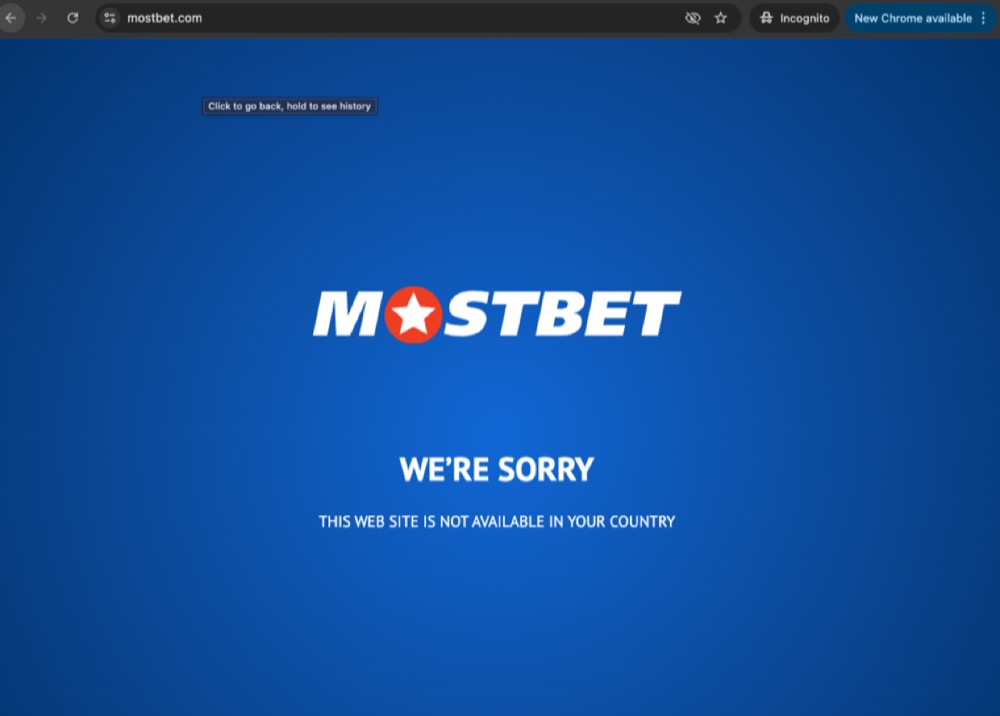
What "Not Working" Actually Looks Like
- Blank white page or endless loading = often DNS or ISP blocking
- "This site can't be reached" = domain resolution or IP block
- SSL warning / certificate mismatch = treat as suspicious until verified
- Mirror opens but login fails = bad mirror, stale session, or cache issue
- Works on mobile data but not WiFi = your broadband ISP is blocking it
Fix 1: Switch Networks First
This is the quickest diagnostic. If the mirror loads on mobile data but not on WiFi, you are dealing with ISP-level filtering, not a broken site.
Test order I recommend:
- Home WiFi
- Mobile data
- Second browser
Fix 2: Use a Different Mirror
Mirrors do not all get blocked at once. ISPs usually add domains one by one. If one mirror dies, another often stays live for days or weeks.
Open the current mirror list and try the next option instead of retrying the same blocked domain ten times.
Fix 3: Clear Cache and Retry in Private Mode
Browsers cache redirects, cookies, and failed certificate states more aggressively than people realize. Private mode is the fastest clean test.
- Open the mirror in incognito/private mode
- If it works there, clear site data for the old mirror domain
- Then retry in your normal browser session
Fix 4: Check the SSL Warning Carefully
If you get a certificate warning, do not rush through it. Mostbet mirror failures and phishing attempts can look similar for a few seconds.
Use the same checks from the mirror safety guide:
- Does the certificate look normal?
- Does the site design match the known interface?
- Does your existing account log in with the correct balance?
Fix 5: Change DNS If the Block Is Basic
Some blocks are only DNS-level. In those cases, changing to a public resolver can help. Cloudflare's 1.1.1.1 setup guide is the cleanest neutral reference if you want to test this route.
This works better on some Airtel/BSNL-style blocks than on Jio-style filtering. If DNS changes do nothing, skip straight to a different mirror or VPN.
Fix 6: Use a VPN When the ISP Is Aggressive
If you're on a network that blocks by SNI or deeper filtering, DNS changes will not be enough. That's where the VPN guide comes in.
Practical rule:
- Mirror works on one network but not another: try another mirror first
- No mirror works on your main ISP: use VPN
- You need stable repeat access: install the app
Fix 7: Stop Mirror Hunting and Use the App
If you are dealing with repeated blocking, the app is usually the lower-friction solution. The official apps page is the best next step if you are tired of recycling domains.
When the Problem Is the Mirror, Not Your Setup
Sometimes the domain is simply dead. Signs:
- multiple networks fail the same way
- the SSL record disappears entirely
- the domain redirects somewhere unrelated
- the mirror vanishes from the active list on the working links page
Best Next Step by Situation
| Situation | Best Move |
|---|---|
| Works on mobile data only | Use a different mirror or VPN on WiFi |
| SSL warning | Leave the site and verify another mirror |
| Blank page in one browser | Retry in private mode and clear cache |
| No mirrors load on your ISP | VPN or official app |
| Login/balance looks wrong | Treat as suspicious and stop |
| If This Keeps Happening... | Longer-Term Fix |
|---|---|
| Your main ISP blocks fresh mirrors every few days | Move to VPN or app-based access |
| WiFi and mobile data disagree constantly | Keep a known-good fallback route saved |
| You keep finding suspicious mirrors in groups or chats | Use only the site’s safety and working-links pages |